FNB Bank Fees 2026: Are You Overpaying R1,200/Year?
Are you paying R199/month for FNB Gold but only using R59/month features? Complete 2026 guide to FNB fees, account tiers, eBucks value, and what your statement really shows. Find hidden savings.
Disclaimer: This analysis is based on patterns from user statements and publicly available FNB information as of January 2026. Fees, rates, and account structures change; always verify current pricing at fnb.co.za. This is not financial advice; opinions expressed are those of the author.
First National Bank is South Africa's digital banking leader. With its award-winning app, eBucks rewards programme, and wide range of digital tools, FNB has positioned itself as the go-to bank for tech-savvy South Africans. The bank genuinely offers excellent digital features, and eBucks can provide real value for active users.
That said, FNB's fee structure — particularly the interplay between bundled pricing, pay-as-you-use options, and eBucks rewards — can be confusing. Understanding how these work helps ensure you're on the right account for your needs.
This guide breaks down what to look for on your FNB bank statement and how to optimise your banking costs.
FNB Account Types & Monthly Fees
FNB offers several account tiers. Note that account names and structures have evolved — here are the current main options as of 2026:
| Account Type | Monthly Fee (2026) | Key Features |
|---|---|---|
| Easy / Easy Zero | R0–R4.95 | Basic banking, pay-as-you-use transactions |
| Aspire | R120 | Unlimited electronic transactions, credit facility included |
| Premier | ~R250–R379 | Premium features, higher limits, bundled transactions |
| Private Clients | ~R455–R650+ | High-net-worth services, dedicated support |
Fees as of January 2026; check FNB's latest pricing guide for current rates.
The most significant choice for middle-income earners is between Easy (low/no monthly fee with pay-as-you-use) and Aspire (R120/month with unlimited electronic transactions). The right choice depends entirely on your transaction volume.
What You Actually Get
Each tier bundles different features. Aspire, for example, includes unlimited electronic transactions (debit orders, card swipes, online transfers) — meaning you're not charged extra for these regardless of volume. Easy charges per transaction but has minimal monthly fees.
Key question to ask yourself: Do you make more than 10–15 electronic transactions per month? If so, Aspire's unlimited transactions may offer better value. If you transact less frequently, Easy with pay-as-you-use could save money.
Common FNB Fees to Understand
Beyond the monthly account fee, FNB charges for specific services. Being aware of these helps you minimise unnecessary costs:
Cash Deposit Fees
FNB charges approximately R1.30–R2 per R100 deposited in cash at ATMs (branch deposits may have higher minimum fees). Deposit R2,000 in cash at an ATM and you'll pay roughly R26–R40 in fees. If you regularly receive cash payments, this is worth tracking — though it's lower than some older fee structures.
ATM Fees
- FNB ATM withdrawals: Often included in bundled accounts or low-cost
- Non-FNB ATM withdrawals: ~R12 + R2.70 per R100 withdrawn
- Balance enquiries/mini-statements: Small fees apply at ATMs; free via app
Using another bank's ATM costs significantly more than FNB ATMs or the app. These fees add up if you frequently need cash from non-FNB machines.
Declined/Unpaid Transaction Fees
If a debit order hits your account with insufficient funds, FNB charges a declined transaction fee — typically R5–R20 depending on the transaction type. This is separate from any penalty the merchant might apply. Ensuring sufficient funds for debit orders avoids these charges.
International Card Markup
Using your FNB card for foreign currency purchases (Amazon, Netflix in USD, international subscriptions) incurs approximately 2–3% markup on the exchange rate. On a R1,000 equivalent purchase, that's R20–R30 in fees. This is standard across most South African banks.
Paper Statement Fees
If you haven't switched to electronic statements, FNB charges a monthly fee for paper statements. Switching to e-statements via the app is easy and saves this cost.
eBucks: Understanding When Rewards Add Value
FNB's eBucks programme is one of South Africa's most recognised loyalty schemes. You earn eBucks on qualifying transactions, which can be spent at partner retailers including Checkers, Engen, Takealot, and more.
How eBucks Earning Works
Your eBucks earning rate depends on your eBucks level (1 through 5), determined by how many FNB products you hold and how actively you use them:
- Level 1–2: Lower earning rates, typically R30–R60 per month
- Level 3–4: Moderate earnings, R60–R150 per month for active users
- Level 5: Maximum earning potential, R150–R300+ per month for very active users
When eBucks Provides Good Value
eBucks can genuinely add value if you:
- Already hold FNB products you need (home loan, credit card, insurance) — eBucks becomes a bonus rather than a cost driver
- Shop regularly at eBucks partners — Checkers, Engen fuel, and online partners offer enhanced earn rates
- Use FNB's app actively — Various in-app activities and purchases boost earnings
Active users who leverage partner shopping and hold multiple genuine FNB products report earning R100–R300+ per month — which can meaningfully offset account fees or provide genuine rewards value.
When to Be Cautious
Consider carefully if you're thinking of:
- Upgrading accounts primarily for eBucks — Calculate whether increased earnings exceed the fee difference
- Taking products just for eBucks levels — Product fees may exceed eBucks gains
- Low transaction volume — Lower activity means lower earnings
Example consideration: Moving from Easy (R0–R5/month) to Aspire (R120/month) adds ~R115/month in fees. If your eBucks earnings increase by less than this amount, the upgrade may not pay off financially — though Aspire's unlimited transactions may still provide value depending on your usage.
Bundled vs Pay-As-You-Use: Finding Your Fit
FNB offers two pricing approaches. Choosing appropriately can save money:
Bundled Pricing (e.g., Aspire)
- Fixed monthly fee (R120 for Aspire) includes unlimited electronic transactions
- Best for customers making 15+ electronic transactions per month
- Includes debit orders, card swipes, online payments
- Predictable monthly cost regardless of transaction volume
Pay-As-You-Use (e.g., Easy)
- Lower or no base monthly fee
- Each electronic transaction charged individually (~R1–R3 per transaction)
- Best for customers making fewer than 10–12 transactions per month
- You only pay for what you actually use
How to Decide
Count your transactions from last month's statement. Include every debit order, card payment, and transfer. If the total is:
- Under 10 transactions: Pay-as-you-use is likely cheaper
- 10–15 transactions: Compare both options with your actual numbers
- Over 15 transactions: Bundled (like Aspire) likely offers better value
Tip: FNB's app includes tools to help you assess which pricing model suits your usage. It's worth reviewing periodically as your transaction patterns may change.
If you're saving R1,200/year by optimizing your FNB account, consider how those savings could accelerate your home-buying timeline. Use our Bond Affordability Calculator(bond affordability calculator) to see what property price you qualify for.
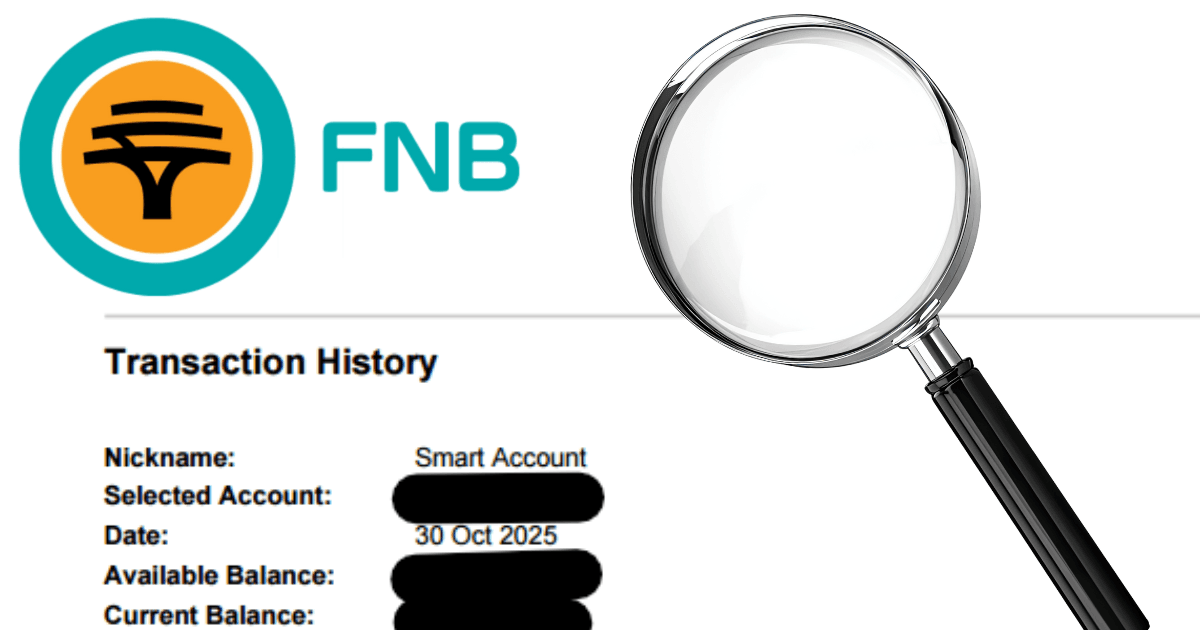
What MyFinHealth Finds on FNB Statements
When you upload your FNB bank statement to MyFinHealth, our analysis identifies FNB-specific patterns:
Auto-Categorisation of FNB Fees
MyFinHealth recognises FNB fee line items and separates them from your regular spending. You'll see exactly how much you're paying in:
- Monthly account fees
- Per-transaction charges (if on pay-as-you-use)
- Cash handling fees
- Penalty and declined transaction fees
Account Fit Analysis
We calculate your actual transaction count and compare it to typical bundled vs pay-as-you-use costs. If there's potential for savings by switching pricing models, MyFinHealth highlights this.
Cash Handling Cost Tracking
Regular cash deposits have associated fees. MyFinHealth tracks your cash deposit frequency and total fees, showing you the cumulative cost of cash-based income.
Spending Pattern Insights
Beyond fees, MyFinHealth categorises all your transactions to reveal where your money goes — identifying subscriptions, spending patterns, and opportunities to optimise your budget.
Frequently Asked Questions
How much does an FNB Aspire account cost per month in 2026?
FNB Aspire costs R120 per month as a bundled fee, including unlimited electronic transactions. For basic banking with minimal transactions, FNB Easy (R0–R4.95/month) with pay-as-you-use pricing may be more cost-effective. Fees as of January 2026 — verify current rates with FNB.
Are eBucks rewards worth the cost of a higher FNB account?
It depends on your usage. Active users who shop at eBucks partners and hold multiple FNB products can earn R100–R300+ per month, potentially providing good value. Lower-volume users typically earn R50–R120 per month, which may not justify premium account costs alone. Calculate your personal eBucks value against your account fee difference.
What fees appear on FNB bank statements?
Common fees include monthly account fees, cash deposit fees (~R1.30–R2 per R100 at ATM), non-FNB ATM withdrawal fees (~R12 + R2.70/R100), declined transaction fees (R5–R20), international card markup (~2–3%), and paper statement fees. Bundled accounts like Aspire include unlimited electronic transactions.
What is the difference between FNB bundled and pay-as-you-use pricing?
Bundled pricing (like Aspire at R120/month) includes unlimited electronic transactions — you pay the same regardless of transaction volume. Pay-as-you-use has a lower base fee but charges R1–R3 per electronic transaction. Bundled suits customers with 15+ monthly transactions; pay-as-you-use is better for lower volumes.
Can MyFinHealth analyse my FNB bank statement?
Yes, MyFinHealth fully supports FNB bank statement analysis. Upload your FNB statement PDF and we'll automatically categorise your transactions, identify FNB-specific fees, assess your account fit, track cash handling costs, and provide spending insights.
Optimise Your FNB Banking
FNB offers genuinely strong digital banking features and eBucks can provide real value for active users. The key is ensuring your account type matches your actual usage — whether that's unlimited transactions with Aspire or pay-as-you-use with Easy.
Upload your FNB bank statement to MyFinHealth and get a clear breakdown of your fees and transaction patterns. Our analysis helps you identify potential savings opportunities based on your actual usage.
Last updated: 28 January 2026. Fees and rates change periodically — always verify current information at fnb.co.za.
Written by
Steven
Founder, MyFinHealth